
Single-Head Breakthrough: Partial Hot Stamping with Just One Epson XP600 Printhead
Metallic foil is one of the fastest ways to increase the added value of a printed product. Partial foil patterns on garments are exactly the kind of detail that allows printing businesses to command a premium, instead of being pulled into thin-margin price competition.
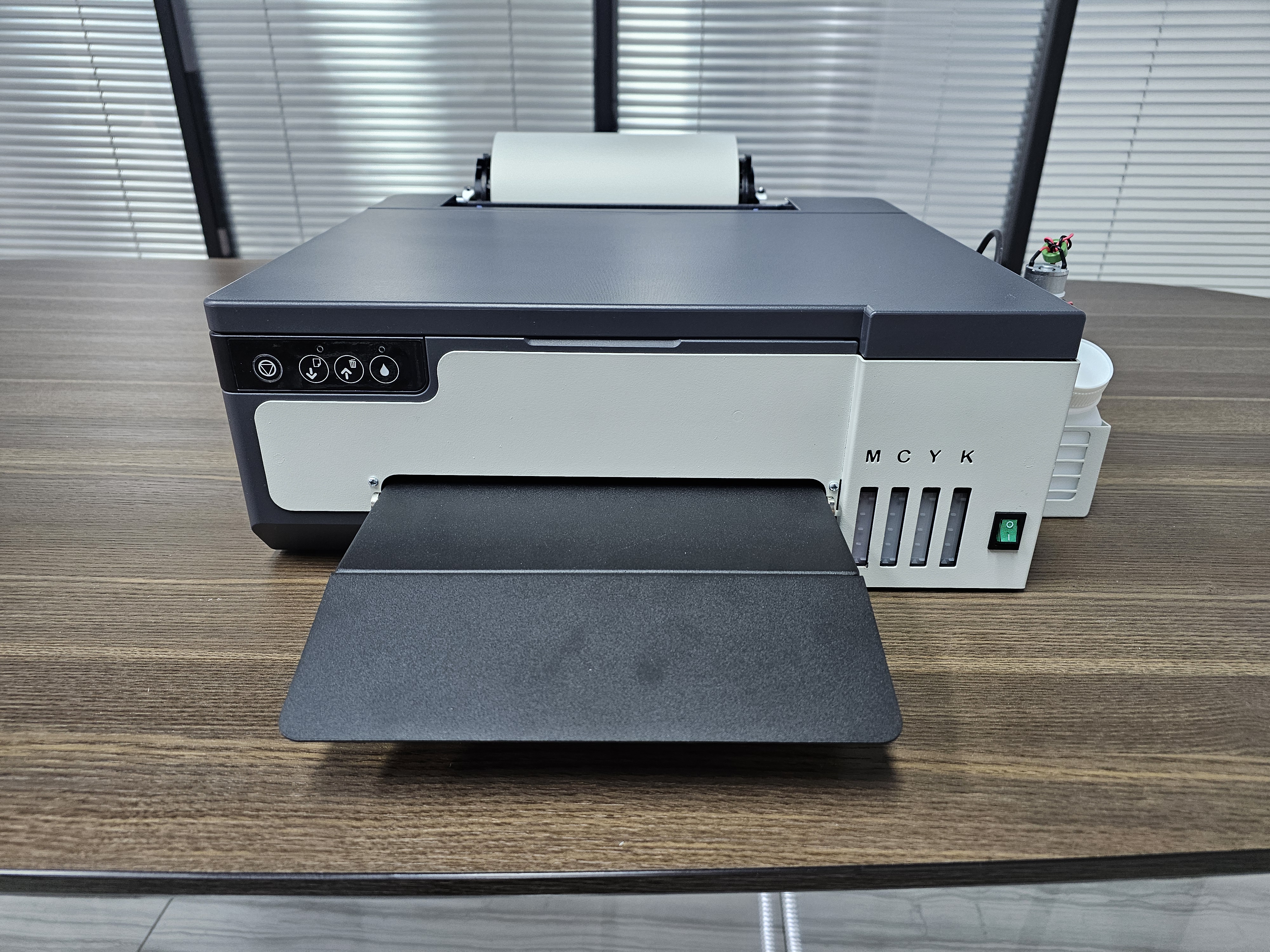
Our newly launched DTF (Direct-to-Film) process can print colour ink, white ink and hot-stamping adhesive in a single pass using just one Epson XP600 printhead. A process that previously required at least three I3200 printheads can now be completed on one compact, single-head desktop machine.
RBL-33 single-head DTF printer — a single-head platform that completes the entire DTF printing process within a compact body, using one Epson XP600 printhead.
Why Partial Hot Stamping Commands a Premium
Full-sheet foiling is blunt. It covers the entire surface and forces the designer to build the artwork around the foil. Partial hot stamping is surgical by comparison: the foil appears only where you specify — a logo, an outline, a geometric pattern or a signature — while the rest of the image keeps its original full-colour print.
The Old Barrier: Three I3200 Printheads
The reason partial hot stamping used to be expensive comes down to ink routing. The conventional approach required three separate printheads to handle colour ink, white ink and adhesive, which is why the entry threshold was usually a configuration of at least three I3200 printheads.
That meant a larger machine, a higher initial investment, more calibration work and a heavier maintenance burden — three printheads to clean and align instead of one. For many small and mid-sized shops, the economics simply did not add up.
The New Process: Colour, White and Adhesive in One Pass
Our engineering team redesigned the ink routing of the Epson XP600 six-channel printhead so that colour ink, white ink and adhesive are all delivered by the same printhead in a single pass.
Workflow in Five Steps
1. Prepare the artwork. Complete the design as usual, then isolate the areas that should carry foil. These areas form the adhesive layer in the file.
2. Print in one pass. The XP600 printhead deposits colour ink, white ink and adhesive onto the DTF film at the same time. No second print run is needed, and no intermediate curing step is required between layers.
3. Powder and heat. Apply standard DTF hot-melt powder and heat-cure to complete the transfer — exactly as with a conventional DTF process.
4. Foil pressing. Place metallic foil over the transfer and heat-press it. The foil bonds only to the printed adhesive areas.
5. Cold peel. Remove the foil carrier, and the metallic pattern remains on the substrate — with clean edges, a bright finish and strong adhesion.
Foil Options
A range of films is available, including silver, rose gold and others, so you can achieve different colour effects.
Care Instructions
Hand washing is recommended. If machine washing is necessary, turn the garment inside out, and avoid drying it in direct sunlight.
Post time: Oct-24-2026